

40+ hours saved per hire
Wilbur established a more consistent screening workflow across its hiring process. The time result is not attributed to Team & Access controls alone.
Read the Wilbur case studyCollaborative hiring
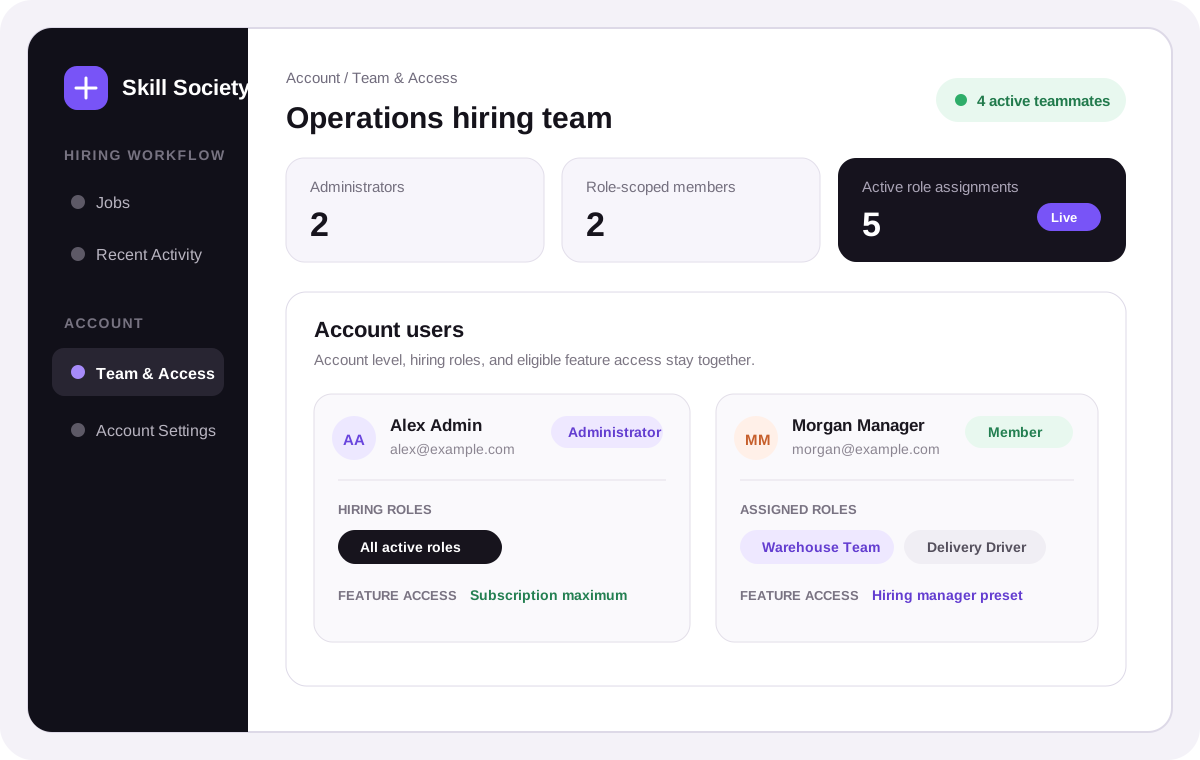
Assign existing account members to hiring roles and give them access to eligible features. Authorised teammates can review candidate evidence, update stages and share internal comments. Your hiring team makes the decisions.
Fictional team workspace
Operations hiring team
Customer perspective from the wider Skill Society workflow
“The Skills Society AI Interview Agent is a fantastic tool—not only for saving time, but also for establishing consistent and fair recruitment standards.”
How collaborative hiring works
Separate account administration from day-to-day hiring, then combine role assignment and eligible feature access to control what each teammate can see and do.
In Team & Access, an administrator chooses access for people who have already joined the account. Administrators manage the account and can access every active role. Members work on the roles assigned to them.
Administrators manage account settings and permissions while teammates focus on their assigned hiring work.
Account responsibility
Step 01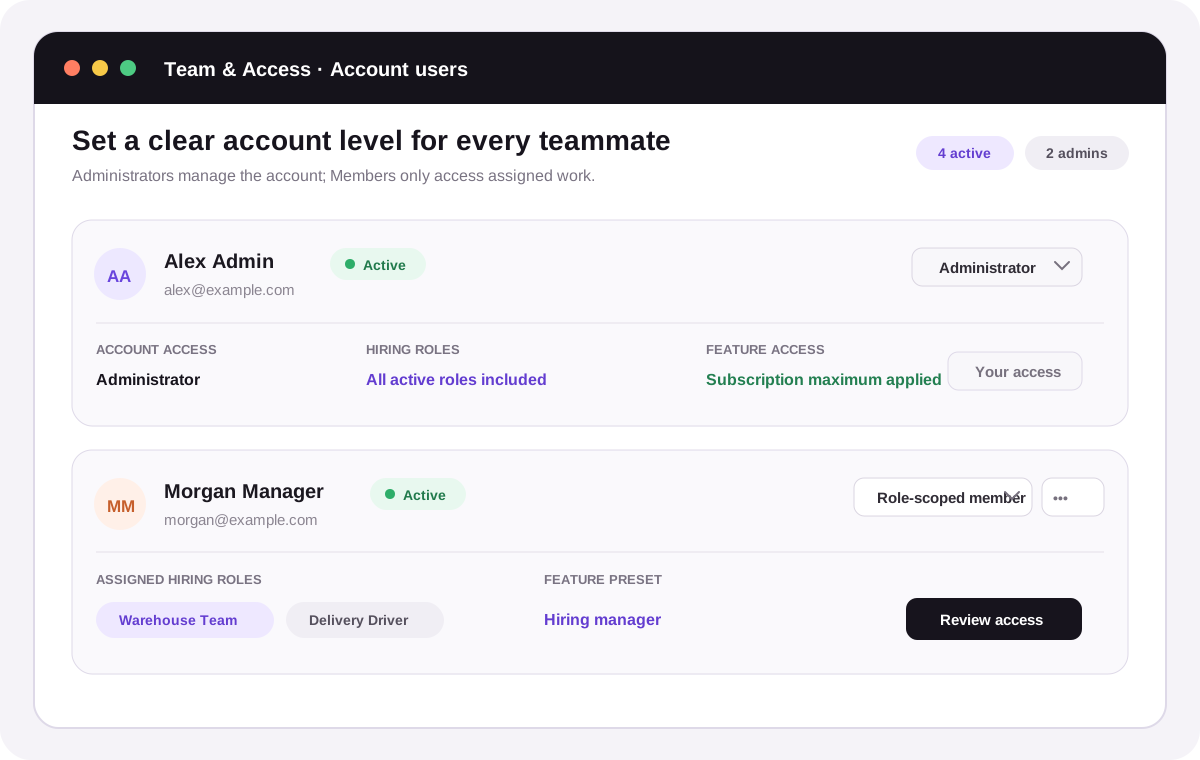
Each existing account user has one clear account level, active state, and summary of the hiring work available to them.
Assign active Members from the account-wide Team & Access workspace or from the Administrator-only Hiring Team panel on a role. Administrators are included automatically; a Member sees and operates only their assigned active roles.
Hiring managers work with the candidates in their assigned roles.
Start with a reviewer, hiring manager or recruiter preset, then adjust access to eligible features such as reference checks, interview scheduling, reports and recruiter PDFs. Members can view or use features within the limits of your account’s plan.
Role assignments control which candidates a member can access. Feature permissions control which tools they can use.
Assigned Members can review candidate evidence, perform permitted day-to-day stage actions, follow Recent Activity for accessible roles, and add internal stage-specific comments with attachments. They cannot configure or close roles, manage permissions, or open unrelated hiring data.
Candidate context stays with the authorised team. Access changes take effect on the teammate’s next request.
Give each teammate the access their work needs.
Bring role assignments, feature access and candidate comments together so your team can work with clear responsibilities.
Outcomes from wider Skill Society workflows
Wilbur established a more consistent screening workflow across its hiring process. The time result is not attributed to Team & Access controls alone.
Read the Wilbur case study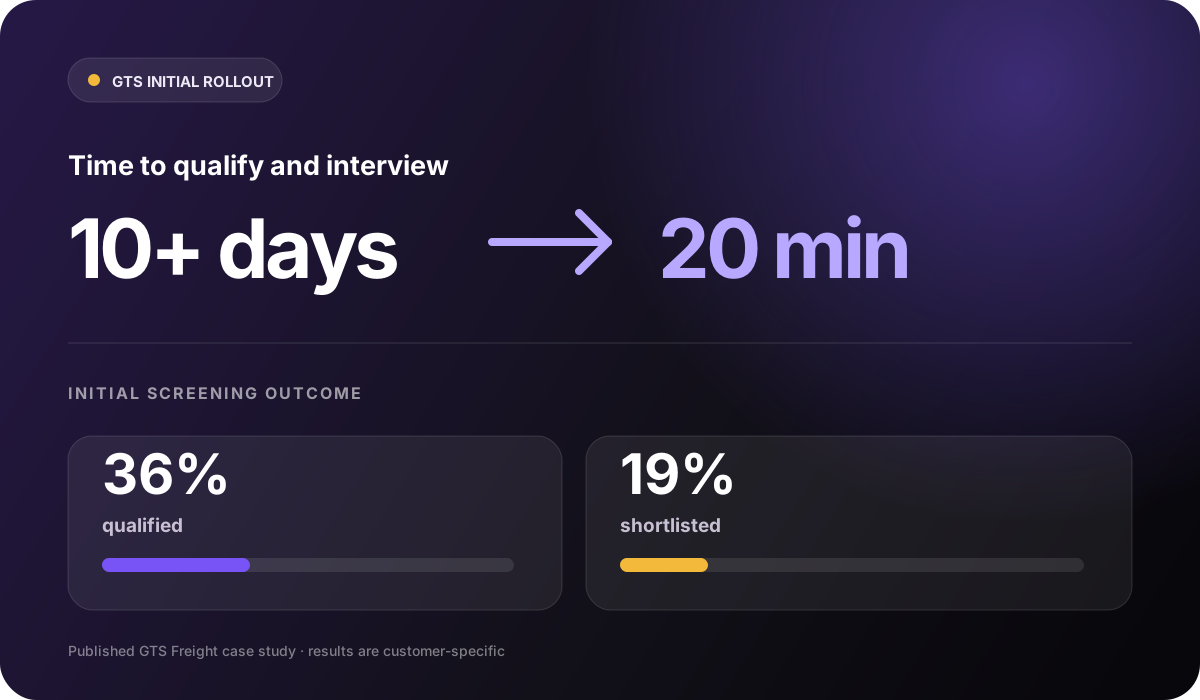

GTS connected qualification and structured interviews in its wider Skill Society workflow. The time result is not attributed to role permissions alone.
Read the GTS case study

William Buck maintained strong candidate satisfaction through its wider graduate screening workflow. The result is not attributed to collaboration controls alone.
Read the William Buck case studyStart with one hiring team
These customer outcomes came from broader Skill Society screening and interview workflows. Collaborative hiring keeps responsibility, visibility, and candidate actions clear around that work.
Questions, answered
Understand who can access each role, use features and collaborate on candidates.
Collaborative hiring combines account access levels, hiring-role assignments, eligible feature permissions and internal candidate comments. Administrators control access; permitted teammates work together on candidate evidence and next steps.
No. Team & Access manages people who have already joined the same Skill Society account. It does not currently include a user invitation flow.
Administrators can access every active role and manage account settings, permissions, role configuration, and other Administrator-only actions. A role-scoped Member can view and operate only assigned active roles, subject to any separate feature permissions and the account subscription.
Yes. An Administrator can assign an active Member to multiple active roles from Team & Access or from each role's Hiring Team panel. The Member's Jobs and Recent Activity views are filtered to those accessible roles.
Yes, for eligible delegated features. Administrators can use reviewer, hiring-manager, or recruiter presets and then adjust each Member's available view or operate capability. The account subscription remains the maximum, and role access and feature access are enforced independently.
No. Administrators assign hiring roles and access to eligible features. Those permissions determine which pages and actions a teammate can use.
Yes. Authorised teammates can add internal comments to an accessible candidate application, associate them with the pre-qualification or assessment stage, and include supported attachments. Comments show their author and time and are never sent to the candidate.
Changes take effect on the next request. A member whose access is removed can no longer open the role or act on its candidates, even if they are still signed in.
No. An Administrator cannot demote or deactivate themselves from their own controls, and the permission rules prevent an account from losing its final active Administrator. Another Administrator must make an allowed access-level change.