

40+ hours saved per hire
Wilbur saved more than 40 hours per hire through its wider Skill Society screening workflow. This metric is not attributed to executive reporting alone.
Read the Wilbur case studyExecutive reporting for distributed hiring
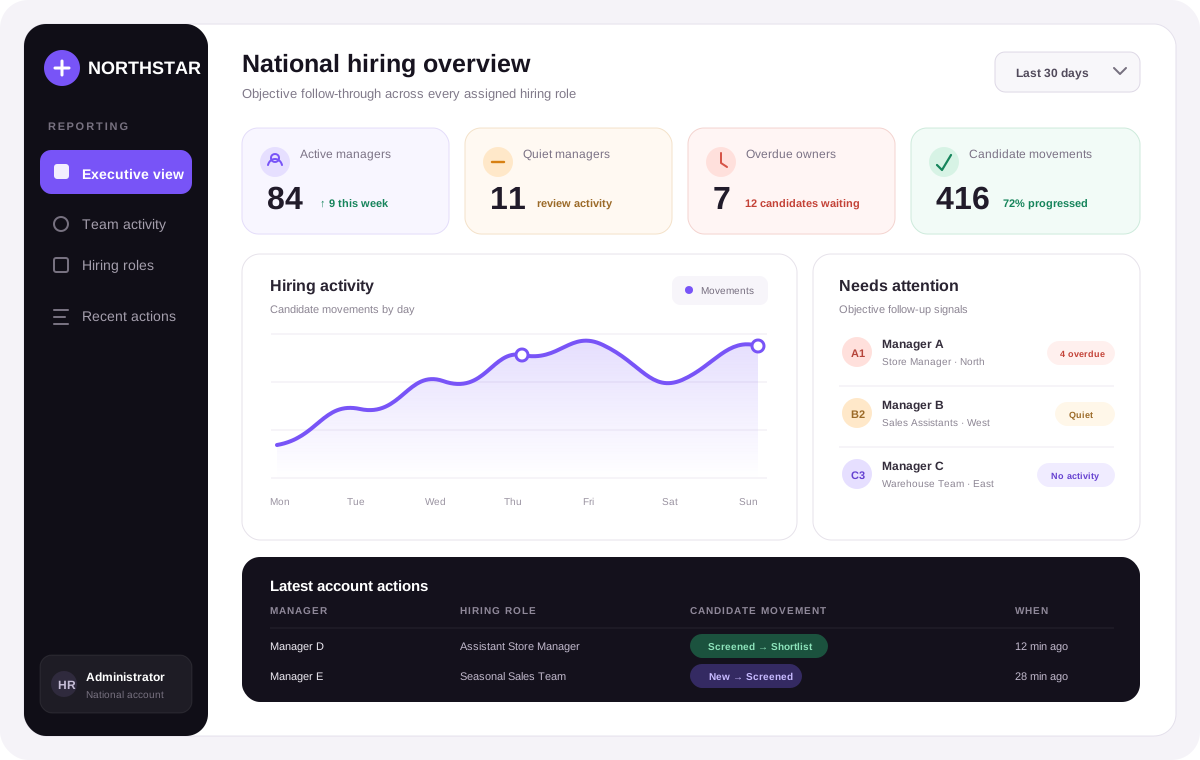
Skill Society executive reporting gives authorised account Administrators a view of hiring activity by manager and role. Review candidate movements, role coverage and follow-ups, then inspect the actions behind each signal before deciding where support is needed.
Fictional retail account
National hiring overview
Customer perspective from the wider Skill Society workflow
“The Skills Society AI Interview Agent is a fantastic tool—not only for saving time, but also for establishing consistent and fair recruitment standards.”
From national view to candidate action
Start account-wide, narrow to the managers or roles that need attention, and open the candidate-level trail when you need the facts behind the signal.
Review the selected reporting window across the whole account: managers active in hiring, candidate interactions, candidate movements, role outcomes, hires, recent actions, and estimated time saved.
An administrator can review recorded hiring activity across the account before asking individual managers for an update.
Account-wide overview
Step 01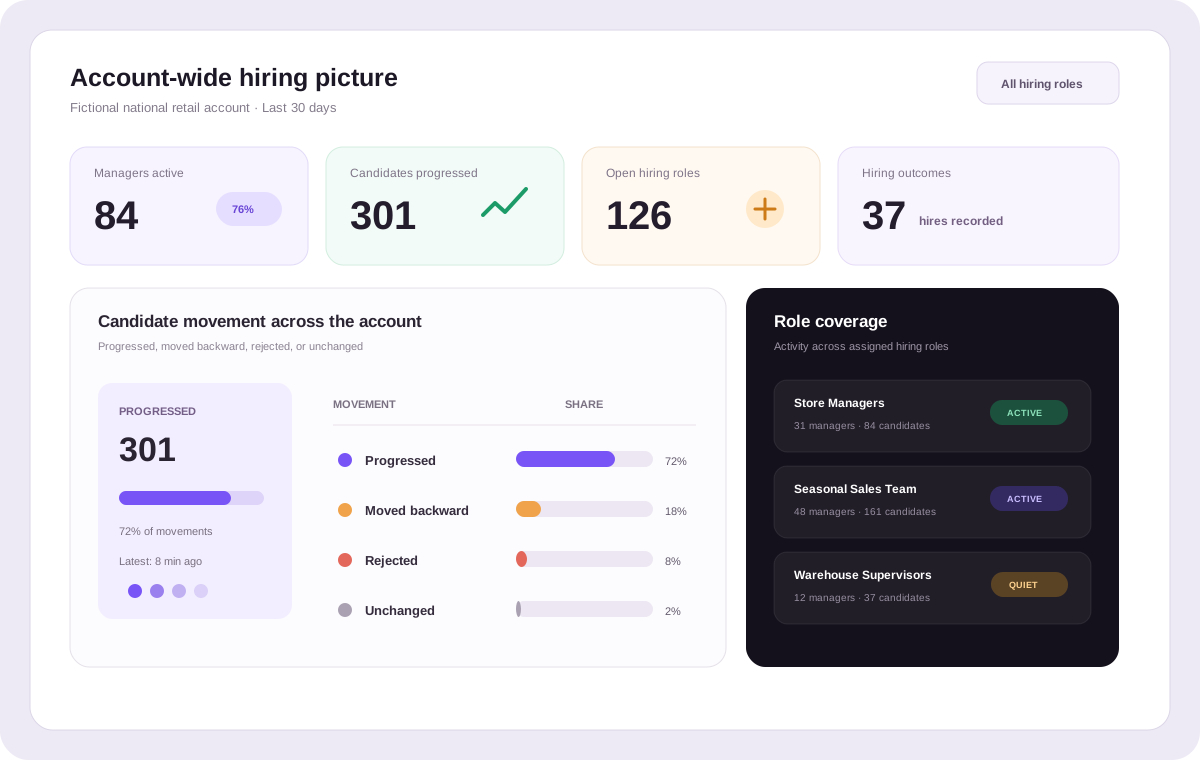
Fictional national retail data shows objective activity and funnel signals across one account.
Search the team, filter active, quiet, inactive, or overdue owners, and narrow the roster by an explicitly assigned hiring role. The rest of the executive totals stay account-wide for context.
Spot a silent queue or overdue hand-off early, then have a useful conversation grounded in visible activity.
Compare activity and candidate movement across assigned roles such as store manager, sales assistant, or warehouse supervisor. See where work is concentrated and where a role has gone quiet.
Connect each manager’s activity to the hiring roles they are assigned.
Open a manager to review their latest candidate movements, the role involved, the stage changed, when it happened, and any follow-up items they currently own.
Move from an executive signal to the underlying action trail before deciding what support or intervention is needed.
Use reporting to ask better questions.
Executive reporting shows recorded activity and follow-through. Your administrators keep the context, judgement, and people decisions.
Outcomes from the wider Skill Society workflow
Wilbur saved more than 40 hours per hire through its wider Skill Society screening workflow. This metric is not attributed to executive reporting alone.
Read the Wilbur case study

Pet Circle enabled 39% of applicants to interview after working hours through its wider Skill Society workflow. This metric is not attributed to executive reporting alone.
Read the Pet Circle case study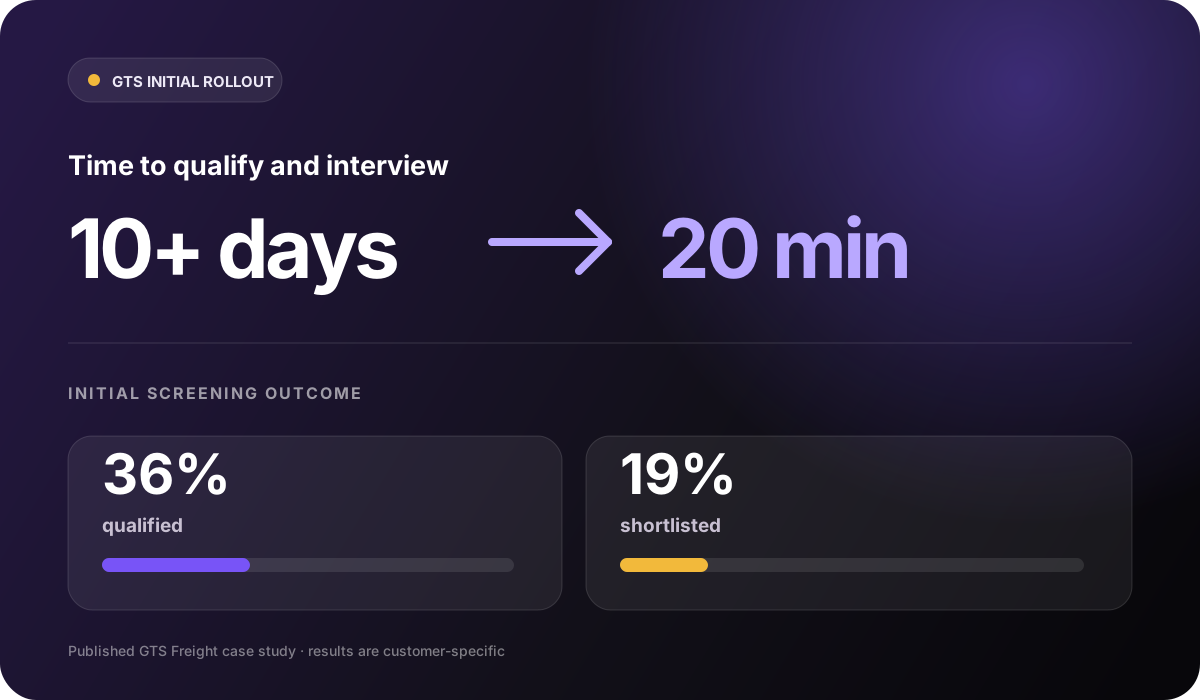

In its initial rollout, GTS reduced time to qualify and interview candidates from more than 10 days to 20 minutes. This wider screening result is not attributed to executive reporting alone.
Read the GTS case studyStart with visibility
Bring manager activity, role coverage, candidate movement, and follow-up signals together—then let administrators focus support where the evidence says it is needed.
Questions, answered
Executive reporting is an account-wide hiring-activity view for authorised Administrators. It brings together manager activity, role coverage, candidate movements and follow-up signals so people can review the evidence and decide where to act.
Executive reporting shows the account-wide hiring picture, hiring-team activity, candidate movements, assigned-role coverage, recent actions, hires, estimated time saved, and follow-ups waiting for attention. Platform Analytics remains available as the full funnel and assessment deep dive.
Yes. The team roster distinguishes active managers, quiet managers with historical activity but none in the selected window, and inactive managers with no recorded candidate movement. You can filter directly to each group.
A follow-up appears when the latest candidate action has been waiting with an owner for more than 72 hours and the candidate remains in a non-terminal stage for an open role. It is a consistent attention signal, not a performance score or a promise that every role must move within 72 hours.
Search by manager name, email, or job title, then filter by activity status or an explicitly assigned hiring role. Results are sorted and shown across pages to keep large team lists manageable.
Executive reporting supports rolling 7-day, 30-day, and 90-day windows. Changing the window preserves your active search, status, attention, role, and sort choices while returning the filtered roster to page one.
Executive reporting and the full Platform Analytics deep dive are available to account Administrators whose subscription grants the Reports view entitlement. Role-scoped Members and accounts without that entitlement cannot open them.
Reporting uses managers and their explicit hiring-role assignments. A multi-location retailer can model store or regional responsibility through role names and assignments, but executive reporting does not add a separate store, region, or location hierarchy.
No. It does not generate a leaderboard, manager score, or inferred performance rating. It shows observable signals—activity, candidate movements, follow-up age, role coverage, and action history—so administrators can apply the right business context.