
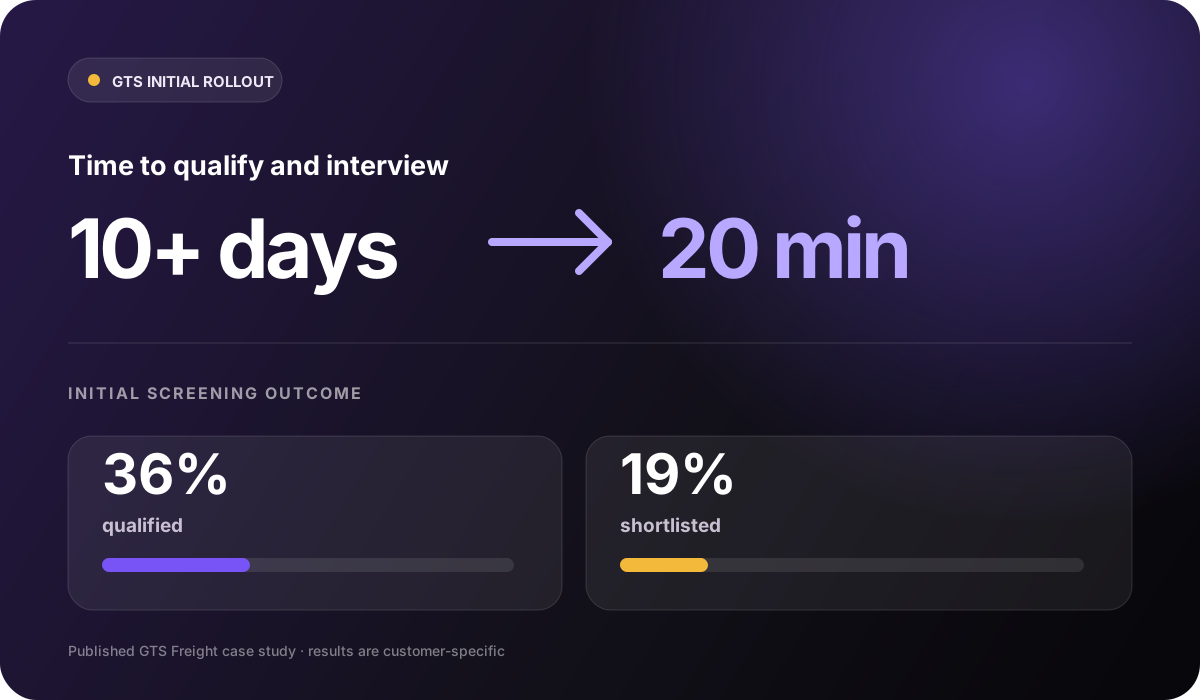

From 10+ days to 20 minutes
In its documented initial rollout, GTS reduced qualification and interview time from more than 10 days to 20 minutes. This measures the first screening stages, not the time to a completed hire.
Read the GTS case studyInterview scheduling
Invite candidates your team selects to choose from interviewer availability, manage bookings and reschedules, and keep recruiters focused on decisions instead of calendar coordination.
Example workflow
Finalist interview scheduling
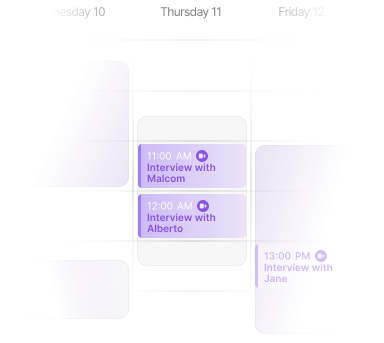
A faster handoff should still feel easy for candidates
“This interview experience has been fantastic. It’s so unusual these days to get through an interview quickly, easily, and without pressure. You can truly be yourself, the AI gives you space to speak openly without feeling intimidated.”
How interview scheduling works
Invite candidates into a self-service booking flow that keeps interviewer availability, confirmations, reminders, reschedules, and booking status aligned.
Sync Google or Outlook, then set the duration, buffers, booking windows, and role-specific event types. Set the rules to suit each role, team or location.
Candidates only see real availability that matches the role’s interview rules.
Calendar rules
Step 01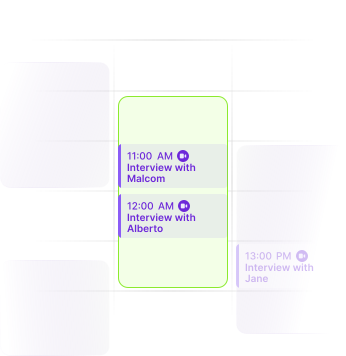
Keep available interview windows connected to real interviewer calendars.
Send a secure scheduling link when a candidate reaches the live interview stage. Slots are time-zone-aware, confirmations are automatic, and candidates can cancel or reschedule themselves.
A qualified candidate can turn the next step into a confirmed meeting themselves.
Review candidate invitations and the booking statuses returned by your connected scheduling setup. Follow confirmed bookings and changes so the hiring team can see where follow-up is needed.
Recruiters know who is booked, who has moved, and where the next action sits.
For panel interviews, round-robin assignment, or hiring across time zones, confirm the event configuration and plan access with our team. These arrangements depend on your connected calendars, scheduling setup, and account access.
Your team agrees the required booking workflow and availability before inviting candidates.
Ready to remove calendar admin from the live-interview handoff?
Start with one role and the real availability rules your hiring team already follows.
Customer outcomes across Skill Society
In its documented initial rollout, GTS reduced qualification and interview time from more than 10 days to 20 minutes. This measures the first screening stages, not the time to a completed hire.
Read the GTS case study

Pet Circle used on-demand AI interviews for high-volume blue-collar hiring, with 39% of candidates completing interviews after hours.
Read the Pet Circle case study

William Buck’s case study describes AI interviews for graduate and intern screening, with candidate feedback collected alongside the hiring workflow.
Read the William Buck case studyStart with one live-interview stage
These stories cover wider screening and interview workflows, not measured results from scheduling alone. Connect one team's availability, confirm its rules and plan access, then measure your own live-interview handoff.
Questions, answered
Yes. Candidates can use the scheduling flow to pick a time that works for them, and rescheduling can be handled without a recruiter manually rebuilding the calendar invite.
Yes. Skill Society supports calendar sync for Google and Outlook so candidates can book against real interviewer availability and confirmed meetings can be pushed back to the right calendar.
Yes. Teams can use different event types, durations, booking windows, and availability rules depending on the role, team, location, or interview stage.
These arrangements depend on your plan, calendar connections, and event setup. Book a demo to confirm panel availability, interviewer assignment, and time-zone requirements before promising those booking options to candidates.
Scheduling is designed to sit after pre-qualification, AI screening interviews, or recruiter review. Once the candidate is ready for a live conversation, Skill Society helps turn that next step into a booked interview.